
QR Code Ordering: Let Customers Order From Their Table
QR code ordering lets restaurant customers scan a code at their table, view the live menu on their phone, and send orders directly to the kitchen without a waiter taking the order.
A customer sits down, scans the code on the table, sees your full menu with photos and prices, and places an order that lands directly in your kitchen. No app download. No waiting to flag a waiter. No misheard orders in a loud lounge.
Request a Free Demo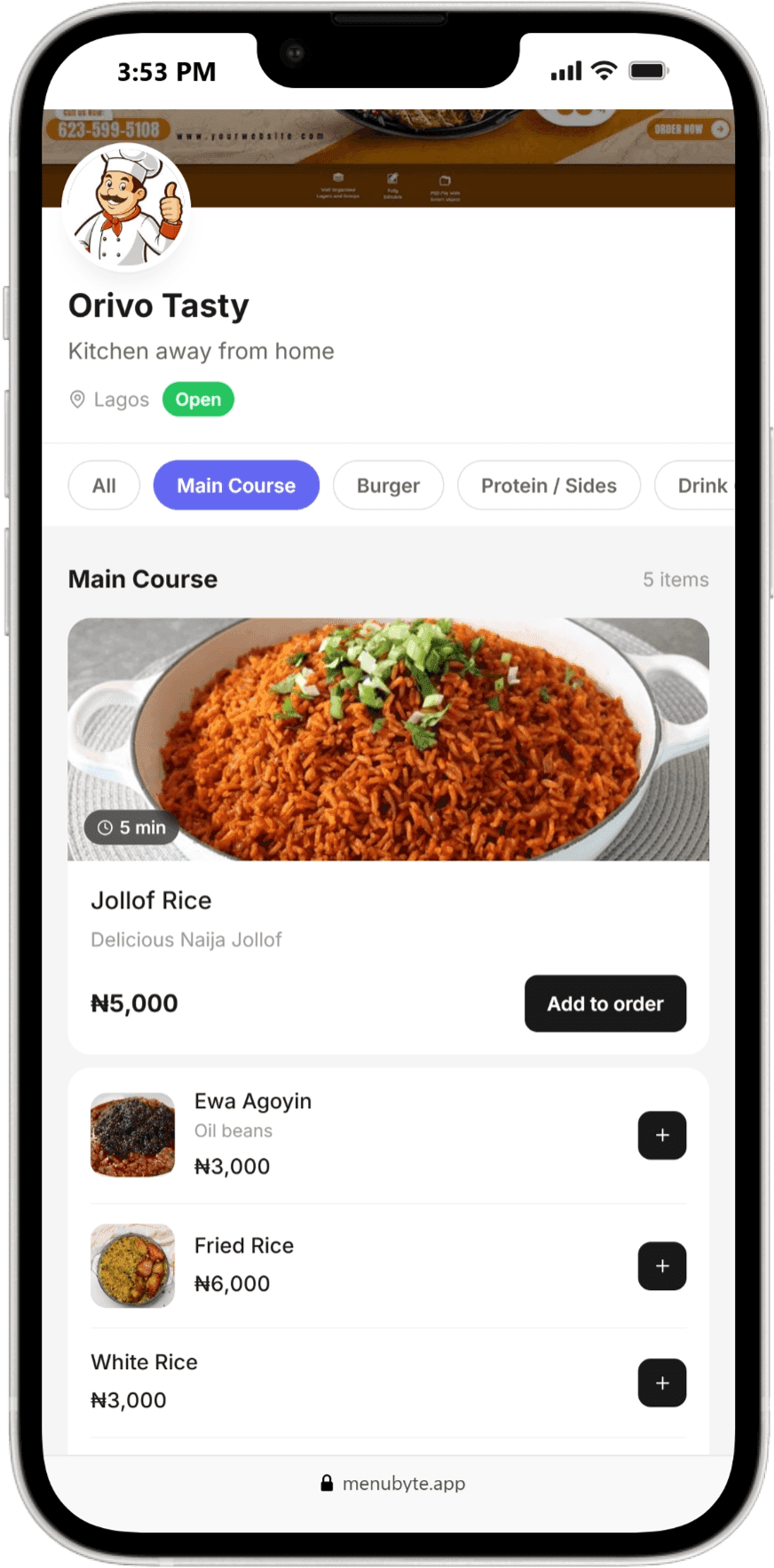
Where money dies on a Friday night
In a busy lounge, the gap between a customer wanting to order and a waiter arriving to take the order is where money dies. Customers wait, get frustrated, order less, or leave.
When the waiter finally arrives, the order is shouted over music, written on paper, and walked to the kitchen. Every handoff is a chance for a mistake, and every mistake is a remade dish, a comped drink, or a bad review.
Why waiter-only ordering hits a ceiling
Waiter-only ordering means your order capacity is capped by your headcount. Add tables or a busy night, and the same waiters must cover more ground. Venues respond by hiring more floor staff, which raises costs and, without accountability tools, raises leakage too.
The menu itself is also a bottleneck. Laminated menus get worn, prices change faster than reprints, and out-of-stock items still get ordered.
What slow tables cost
Slow table service directly reduces table turnover and order size. A lounge that turns tables 20 minutes faster on peak nights can serve noticeably more covers with the same staff.
Order mistakes cost twice: the wasted dish and the unhappy customer. And a printed menu that still lists items you no longer serve makes every order a negotiation.
How MenuByte puts the menu in the customer's hand
Every table in MenuByte gets its own QR code, generated automatically. Customers scan and see your live digital menu: photos, prices, categories, and only what is actually available, because the menu updates the moment you mark an item out of stock.
Orders placed from the table appear instantly on your kitchen and bar displays with the table number attached. Waiters shift from order takers to order runners, and your kitchen works from a clean digital ticket instead of handwriting.
Scan to kitchen in seconds
- 1
Owner sets up the menu, or the MenuByte team uploads it during onboarding
- 2
Print table QR codes directly from the dashboard
- 3
Customer scans, browses, and orders
- 4
Order hits the kitchen or bar display in real time with the table number
- 5
Staff deliver, bill and receipt handled in Counter Mode
- 6
Out-of-stock items disappear from the customer menu instantly
Per-table QR codes
Auto-generated, printable, tied to your live menu.
No app required
Works in any phone browser.
Live availability
Mark an item out of stock once. It disappears everywhere, instantly.
Straight to kitchen
Zero handwriting, zero relay errors.
- More orders per night with the same staff
- Fewer mistakes and remakes
- A menu that is always current
- Customers order more when they browse photos at their own pace
Frequently asked questions
Related solutions
The Restaurant POS System Built for Nigerian Venues
A restaurant POS system is software that records orders, sends them to the kitchen, tracks payments, and gives the owner a complete record of every sale.
Restaurant Inventory Management: Know Where Every Bottle and Portion Goes
Restaurant inventory management is the practice of tracking stock purchases, sales deductions, and adjustments so that what you bought, what you sold, and what remains always reconcile.
Digital Menus: Change a Price Once, It Changes Everywhere
A digital menu is your restaurant menu hosted online, opened by customers through a QR code or link, showing live prices, photos, and only the items you can actually serve right now.
Send us a photo of your menu on WhatsApp. We set it up, you scan, you see it working.